Note: This post was written from the lens of voice assistants in the 2020–21 era.
“Hi Siri, tell me about yourself.” “Hi! I’m Siri, but enough about me… how can I help?”
Voice Assistants have been around for a while, but it is only recently that they have become truly “smart”.
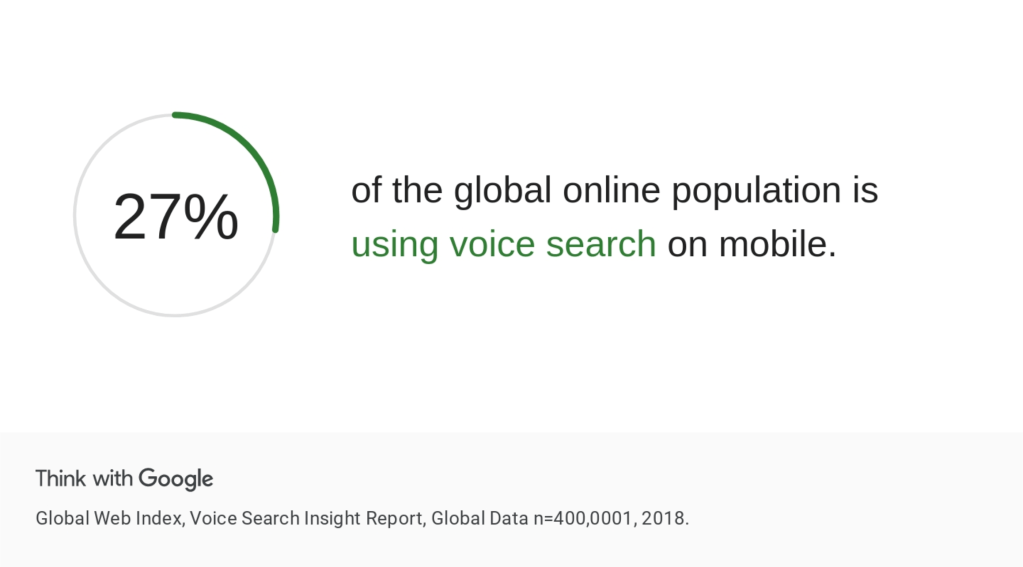
All major applications and websites support search by voice today. About 27% of all mobile searches in 2018 were voice searches. Voice Assistants take it one step further. Put in simple terms, talking to a Voice Assistant is like having a real conversation with someone whose job is to help you, and letting them execute some of your tasks for you.
Imagine the following scenarios:
A daughter teaches her his 60-year old father how to order a new shirt online, “Dad, just open this icon and speak about the kind of shirt you want!”
A young student opens his shopping app knowing exactly what he wants but without any intentions of applying 4 filters manually, “Show me all non-marking shoes by Puma. The size should be UK size 6. Don’t show me anything that costs above Rs. 5000.”
A woman is working on her presentation for work when she remembers she has not ordered the grocery for tomorrow, “Repeat my cart from last time and remove grapes.”
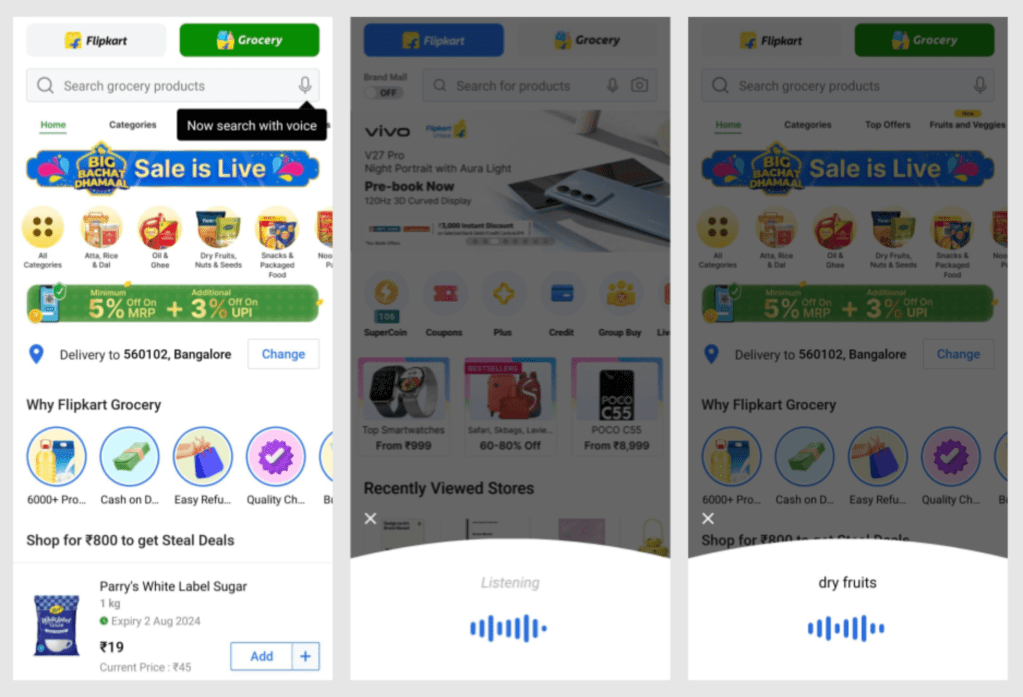
At Flipkart, to help users shop by talking to the app, we started working on a platform to enable a smart voice assistant. To understand how voice technology works, let us look at its high-level components (simplified):
Automatic Speech Recognition or ASR: Understanding what someone is speaking and converting that input to text.
This text will then be processed to tag it with relevant information in the next step.
Example: “Show me (search) all non-marking shoes (product category) by Puma (brand filter). The size should be UK size 6 (size filter). Don’t show me anything that costs above Rs. 5000 (price filter: under 5000).”
Natural Language Processing or NLP: Understanding the meaning of what was said.
We will now use the text from the previous step and the tags highlighted to “make sense” of the sentences.
There are three main components here:
Intent: What is the main action the Assistant has to take? In our example, it is “search for something”
Entities: What is the additional information we need to fulfil the intent? In our example, the entities are the details of the products we have to search for: “shoes” that are “from Puma, size UK 6, under Rs. 5000)
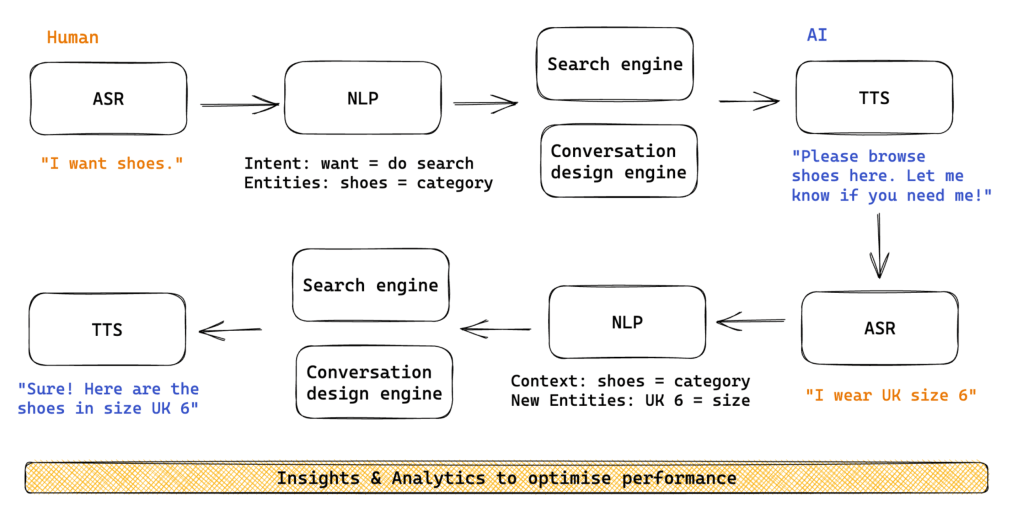
Context: Was there something else the user said before or something the system remembers about this user that can be used here? In our previous example, the system may know that the user is male and apply that filter. Additionally, the system may refer to a previous query and build on top of it. See a simplified flow chart below for such an interaction.
Conversation Design Engine: Rules for how the Voice Assistant will respond back to users.
What to say: List of responses to choose from, including combinations of phrases randomised for variety as per a certain logic.
What to do: List of actions to choose from depending on the query.
Example: In the query on shoes above, the Assistant will realise that it is a search command, it will pull up the query components, run the query, filter it, and show the results with a confirmation. “Here you go! Browse for size UK 6 white non-marking shoes under Rs. 5000 by Puma.”
Text-to-speech or TTS: Once we have the response ready, we convert it to a “voice” and the Assistant speaks back to the user. “Here you go! Browse for size UK 6 white non-marking shoes under Rs. 5000 by Puma.”
Optimization:
Based on how users respond to different conversations, the platform optimises the rules over time.
Each component above will have a certain “error rate”, which is constantly improved based on data. Our team also listened to thousands of conversations every week to make sure the Assistant was helpful, accurate, and sounded as human as possible.
Here is a very simplified flow chart to explain all the components better:
How sophisticated a particular Voice Assistant is depends on how robust all the above components are. For example, simpler Voice Search may not include any advanced context management or handling actions.
Interactions
While building the voice architecture was one part of the problem, UX was another. Should the microphone itself showcase advanced Assistant features or should we have a floating icon to make it more distinct and give it a “personality”? Developing a intuition for human-computer interaction design is key when it comes to such AI products.
Metrics
For each component of the platform, we measured quality and accuracy using technical metrics:
ASR: Word Error Rate, Latency
NLP: Entity precision and recall, intent classification accuracy, unhandled (unable to find a tag) entities
Conversation design: Success rate for handling queries (able to match intent, entities, and take an action or ask a follow-up), repeat rate (same query repeated several times, indicating an error in handling the query the first time itself)
TTS: Mean Opinion Score, latency
Overall: Latency
On the user experience side, we measured metrics like adoption, engagement, retention, CSAT, ratio of voice search versus text search usage.
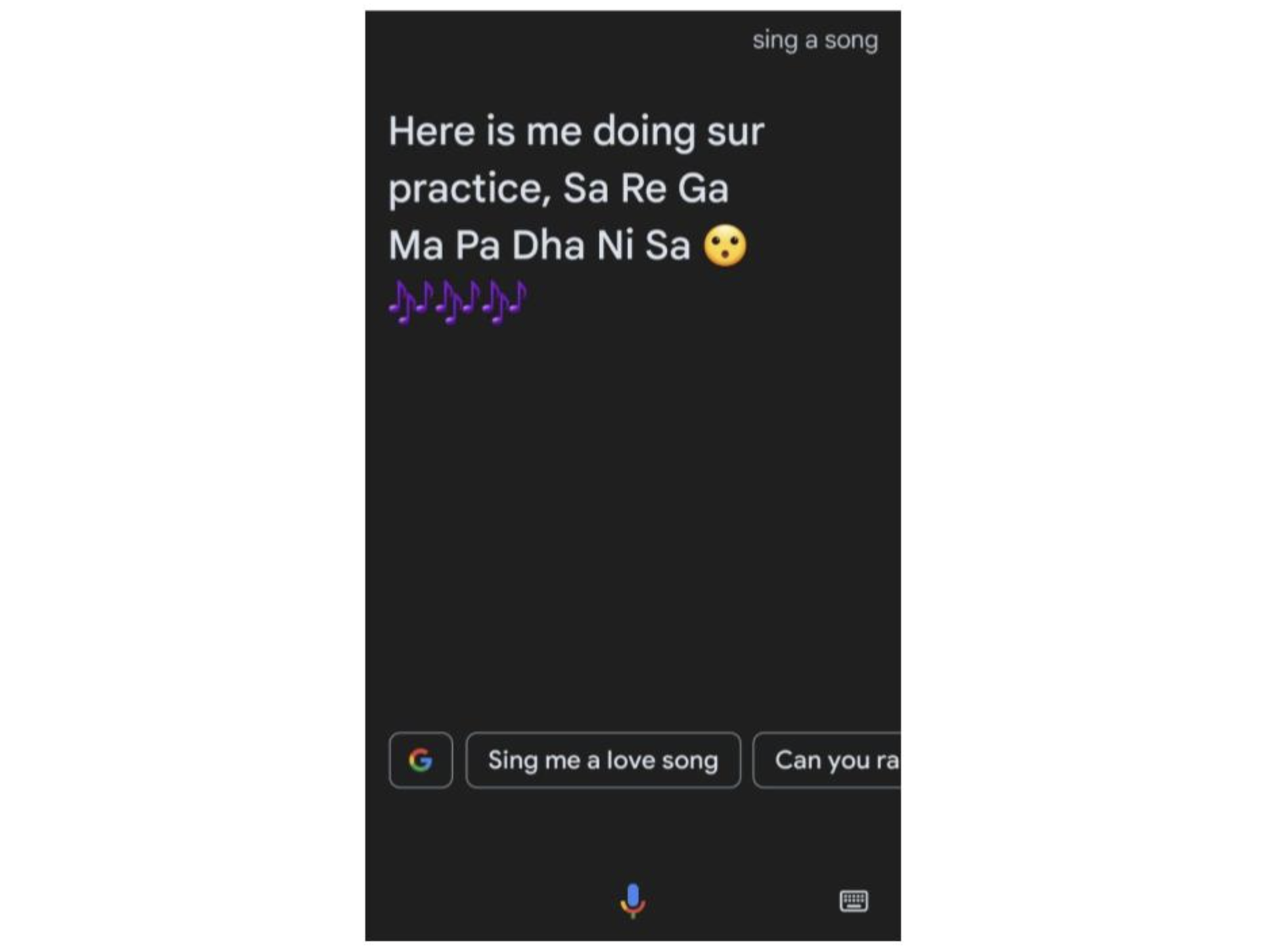
Before we end this one, I asked Google Assistant to sing a song for me: